Everythingin the box.
The full list. Repair orders to marketing, plus the parts that write, send, answer, and remember for you.


- NexPartAftermarket parts ordering
- partslink24Genuine OEM parts, opened from the repair order
- QuickBooks OnlineInvoices and payments sync
- StripeOnline payments and receipts
- SquareCard reader for in-person payments
- Apple PayTap to pay on the invoice link
- Google PayTap to pay on the invoice link
- Google ReviewsOne request per completed repair order
Five things you'll use every day.
The core of the product, one screen each. Open any one for a closer look.
Every feature, by area.
All of it is in the one plan. No add-ons, no per-seat pricing, no modules to unlock.
Built-in service advisor
Works inside every repair order12Repair orders and workflow
8Customers and payments
7Parts and back office
4Marketing
4The unglamorous stuff, done right.
Loaners, hours, and parts ordering are where most shop software gets lazy. These get their own screens.
Track the fleet, check a car out to a customer with a signed agreement, snap their license and insurance, and check it back in. All of it stays attached to the repair order.
Staff clock in, take lunches and breaks, and clock out from the dashboard. Hours are totaled for you, who's on the clock is visible at a glance, and the pay period rolls up into one report.
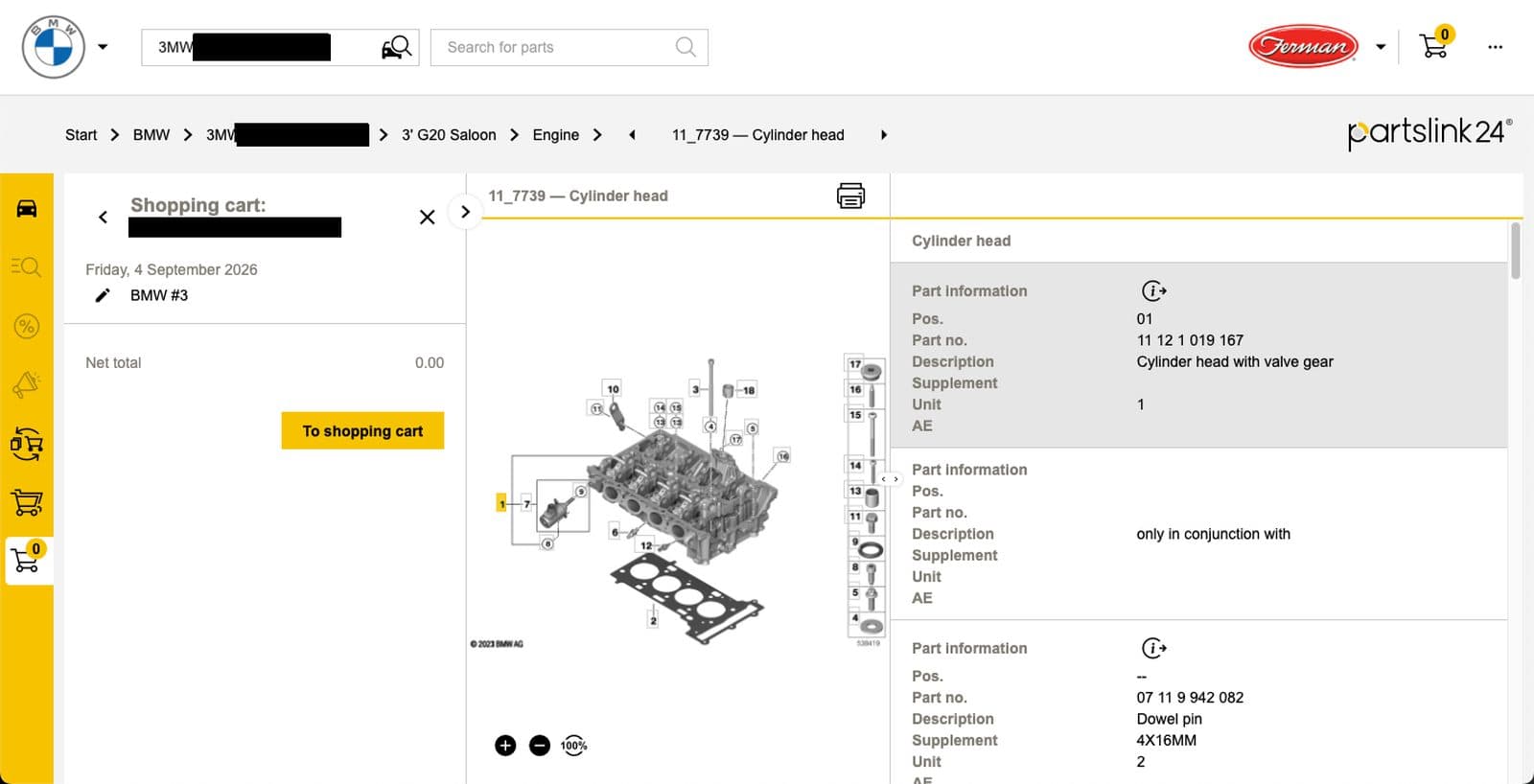
Launch NexPart from the repair order with the vehicle already loaded, or look up genuine OEM parts on partslink24 by VIN for European brands. Ordered parts land on the repair order as line items.
Genuine parts, straight from the dealer.
partslink24 is the dealer parts platform used by OEM dealerships. It lets you order genuine OEM parts straight from franchise dealers for European and premium brands.
partslink24 account required. partslink24 is a registered trademark of its owner.
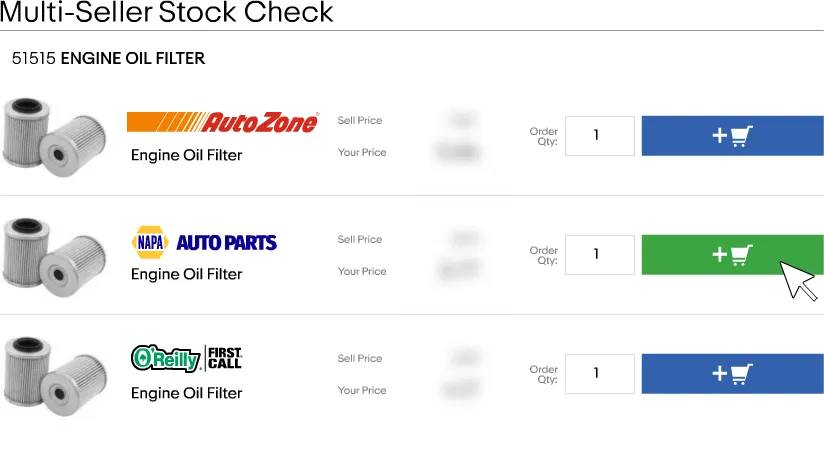

Order parts from the repair order. One click.
NexPart is one of the leading automotive parts ordering networks. Launch its catalog straight from the repair order with the vehicle already loaded, so nobody re-keys the VIN or the year, make, and model.
NexPart account required. NexPart is a product of WHI Solutions.
What runs on its own.
Every one of these is on by default. Nothing to configure, nothing to remember.
All of it.
$79 a month.
Unlimited users. No per-seat fees. No contracts. English and Spanish on every screen.
30 days free · Cancel anytime